
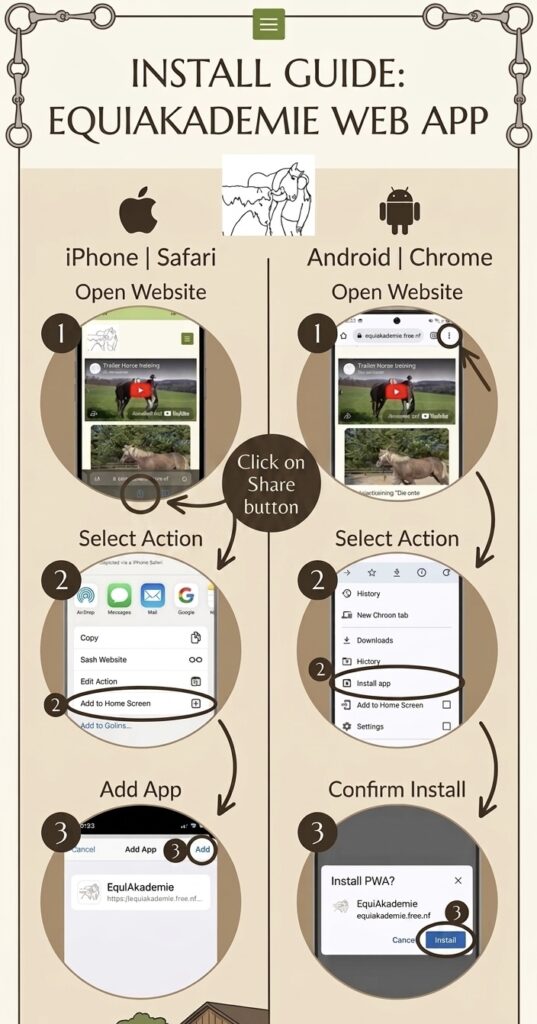
Keep our horse content just one tap away:
For iOS (iPhone):
- Open our website in Safari.
- Tap the “Share” icon at the bottom (the square with the arrow).
- Scroll down and select “Add to Home Screen”.
- Tap “Add” in the top right corner. You’re all set!
For Android:
- Open our website in Chrome.
- Tap the three dots in the top right corner.
- Select “Install app” or “Add to Home screen”.
- Confirm the prompt – our app will now appear on your home screen.